
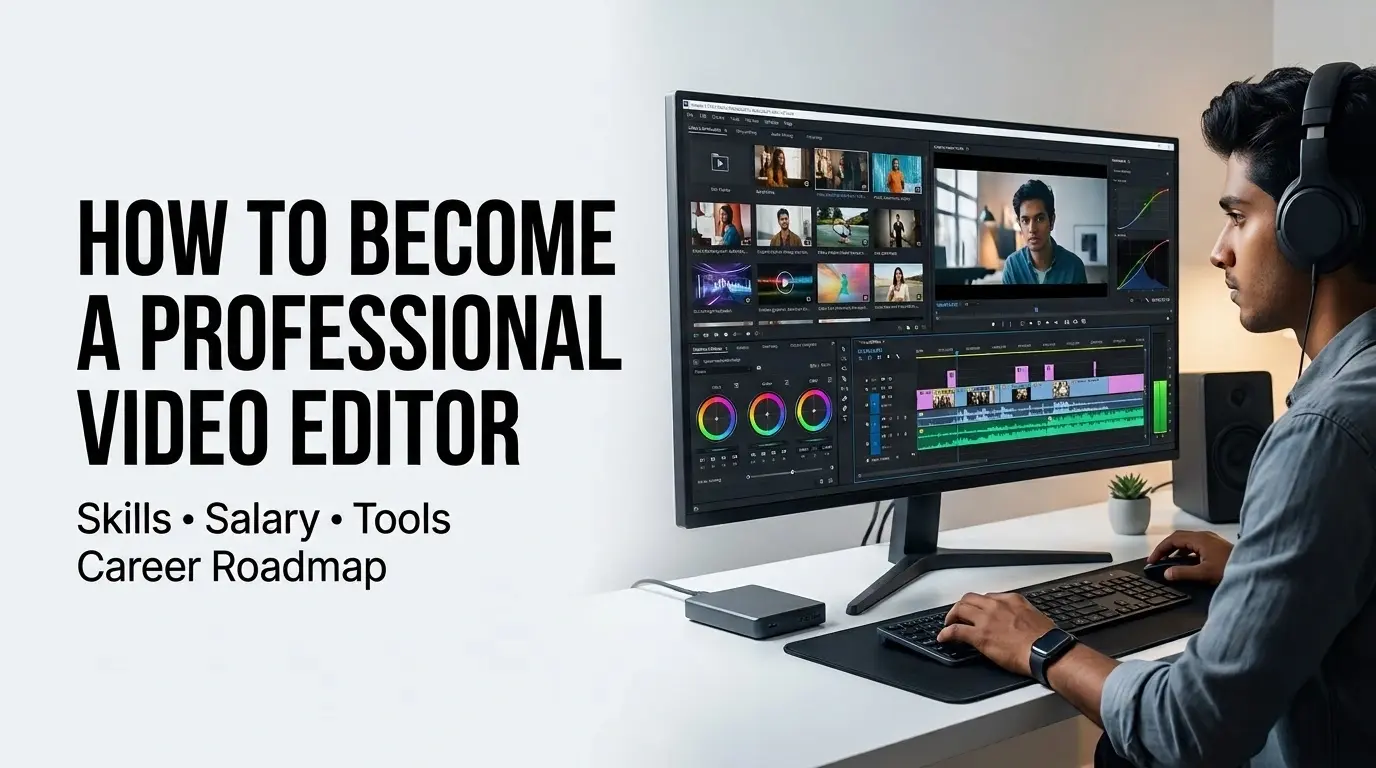
If you’re wondering how to become a video editor and build a career in this field, it helps to understand what professional editing actually involves. From Instagram Reels and YouTube videos to advertisements, corporate content and educational videos, businesses and creators need skilled editors who can turn raw footage into engaging content.
In 2026, video editing involves more than trimming clips and adding transitions. Employers and clients increasingly value skills such as storytelling, pacing, audio, colour, motion graphics, short-form editing and AI-assisted workflows.
This guide covers what you need to learn, which software to choose, salary expectations, essential skills, free learning resources and a practical career roadmap for becoming a video editor in India.
How to Become a Video Editor in India: Quick Answer
You can become a video editor in India without a specific degree. Start by learning editing fundamentals, master one professional editing application such as Premiere Pro or DaVinci Resolve, practise with real projects, develop storytelling, audio, colour and motion graphics skills, create a portfolio and showreel, and then apply for internships, jobs or freelance projects.
Simple roadmap: Learn → Practise → Build a portfolio → Create a showreel → Apply for opportunities → Specialise
Is Video Editing in Demand in 2026?
Yes, video editing continues to be relevant in 2026 as businesses, creators, brands, media companies and educators increasingly use video to reach their audiences. From short-form social media content and YouTube videos to advertisements, corporate films, podcasts and educational content, many formats require skilled editors.
However, simply knowing how to cut clips together may not be enough. Editors who understand storytelling, audience retention, short-form content, audio, motion graphics and modern AI-assisted workflows can build a broader skill set. Developing practical skills and a strong portfolio is therefore important when entering the field.
Is It Worth Learning Video Editing in 2026?
For people interested in creative and visual work, learning video editing can lead to opportunities in full-time jobs, freelancing, digital marketing agencies, production houses, media companies and content creation. You can also specialise in areas such as YouTube editing, short-form videos, advertising, motion graphics or post-production.
AI is also changing how editors work, but creative editing skills remain important. AI can speed up repetitive tasks such as captions, transcription and basic cleanup, while editors still make creative decisions around storytelling, pacing, emotion and audience engagement. A practical approach is to learn the fundamentals first and then use AI as a productivity tool.
What Does a Video Editor Do?
A video editor takes raw media, including video, audio and images, and shapes it into a finished piece of content. Depending on the role, an editor may work on YouTube videos, Instagram Reels, advertisements, corporate videos, explainers, educational content, interviews or documentaries.
Typical responsibilities include selecting and organising footage, arranging scenes, improving audio, adding music and captions, correcting colour, creating transitions and exporting content for platforms such as YouTube, Instagram and other digital channels.
How to Become a Video Editor: Step-by-Step Career Roadmap
You don’t need to know everything before you begin. Start with the fundamentals, choose one editing tool, practise with real projects and gradually add advanced skills. Breaking the process into clear stages makes it easier to build practical editing experience.
1. Learn the Basics
- Learn cutting, trimming, timeline editing, audio, transitions and export settings.
- Understand video formats, frame rates, resolutions and basic project organisation.
- These fundamentals provide the foundation for professional editing.
2. Choose One Professional Tool
- Avoid trying to learn several applications at once. Choose one professional tool such as Premiere Pro or DaVinci Resolve and become comfortable with it.
3. Study Storytelling
- Study how professional editors use cuts, music, pacing and visual structure.
- Analyse content you enjoy and apply useful techniques to your own projects.
4. Add Colour, Audio and Motion
- Once your editing fundamentals are strong, develop colour correction, colour grading, audio editing, sound design and basic motion graphics.
- These complementary skills can help you take on a wider range of editing projects.
5. Learn AI-Assisted Workflows
- Explore AI-assisted features for tasks such as captions, transcription, audio cleanup and creating short-form versions of longer content.
- Use AI to reduce repetitive work while keeping creative decisions under your control.
6. Build Real Projects
Don’t wait for a job before you start editing. Create practical projects that demonstrate different skills, such as:
- One YouTube video
- Three Instagram Reels
- One advertisement
- One talking-head edit
- One cinematic edit
- One before-and-after colour-grading example
- One motion graphics project
These projects give you evidence of your skills when applying for internships, jobs or freelance work.
7. Build a Video Editing Portfolio and Showreel
A strong portfolio is more useful than a collection of unfinished projects. Select your best work, explain your contribution to each project and create a concise showreel that demonstrates your editing style and technical skills.
8. Apply for Opportunities
Once you have practical work to show, start looking for video editor jobs in India, internships and freelance projects. Possible entry-level roles include:
- Video Editor
- Junior Video Editor
- Social Media Video Editor
- Content Editor
- Motion Graphics Intern
- Video Editing Intern
- Post-Production Assistant
- AI Video Editor
You can also explore freelance video editing once you have enough work to demonstrate your capabilities.
Is Video Editing a Good Career in India?
Video editing can be a career option for people who enjoy creative and visual work. Opportunities can be found in advertising agencies, production houses, digital marketing, media companies, YouTube studios, startups and creator businesses.
The field is also becoming more competitive as more people learn editing tools. To stand out, build skills beyond basic cutting and trimming by developing storytelling, motion graphics, colour work, audio, short-form editing and AI-assisted workflows.
AI tools can automate tasks such as captions, audio cleanup, background removal, B-roll generation and creating short clips from longer content. Editors who understand these tools while maintaining strong creative and storytelling skills can use them to improve their workflow.
What Skills Do You Need to Become a Video Editor in India?
Start with the fundamentals and then build complementary skills as you gain experience.
1. Editing Fundamentals
- Learn cutting and trimming, timeline editing, transitions, clip organisation, sequence creation, video formats, export settings, frame rates and resolutions.
- These fundamentals form the foundation of professional editing regardless of the application you use.
2. Storytelling and Pacing
- Storytelling is one of the most important video editing skills.
- A technically strong video can still be ineffective if the pacing is weak. Editors need to create strong openings, remove unnecessary footage, maintain attention, build emotion and use B-roll effectively.
- For social media content, understanding hooks and audience retention is especially useful.
3. Audio Editing and Sound Design
- Learn noise cleanup, voice levels, background music, sound effects and smooth audio transitions.
- Basic sound design can also make cuts, movements and visual moments more impactful.
4. Colour Correction and Colour Grading
- Understand the difference between colour correction and colour grading.
- Correction focuses on consistency, including exposure, white balance, contrast and skin tones.
- Grading focuses on the visual style and mood of the finished video.
- Become comfortable with colour matching, LUTs and basic grading techniques.
5. Motion Graphics
- Basic motion graphics can make your work more versatile than simple cutting and trimming.
- Learn animated text, titles, lower thirds, keyframes, logo animations, social media graphics and basic visual effects.
- Editors interested in advanced animation can later learn Adobe After Effects.
6. Short-Form Video Editing
- Short-form editing is useful for creators, brands and agencies.
- Learn how to edit Instagram Reels, YouTube Shorts, vertical videos, talking-head content, podcast clips, educational videos and promotional content.
- Effective short-form editing requires an understanding of hooks, captions, pacing, visual changes and audience retention.
7. AI-Assisted Workflows
- One useful skill to develop in 2026 is learning how to work alongside AI-assisted editing tools.
- AI can assist with captions, transcripts, footage discovery, audio cleanup, content splitting and other repetitive tasks.
- Learn traditional editing skills first and then use AI automation to improve your workflow.
Video Editing Trends and Skills to Learn in 2026
Video editing trends in 2026 include AI-assisted tools, short-form vertical content, automated captions, faster editing workflows, motion graphics and videos adapted for different platforms.
Audience retention is also important. Whether you are editing a YouTube video, Reel or promotional video, the opening, pacing and visual changes can influence whether viewers continue watching. AI tools can help editors handle repetitive work faster, making creative judgement and storytelling increasingly valuable.
The key is to keep learning without chasing every new trend. Strong editing fundamentals provide a foundation for adapting to new tools and formats.
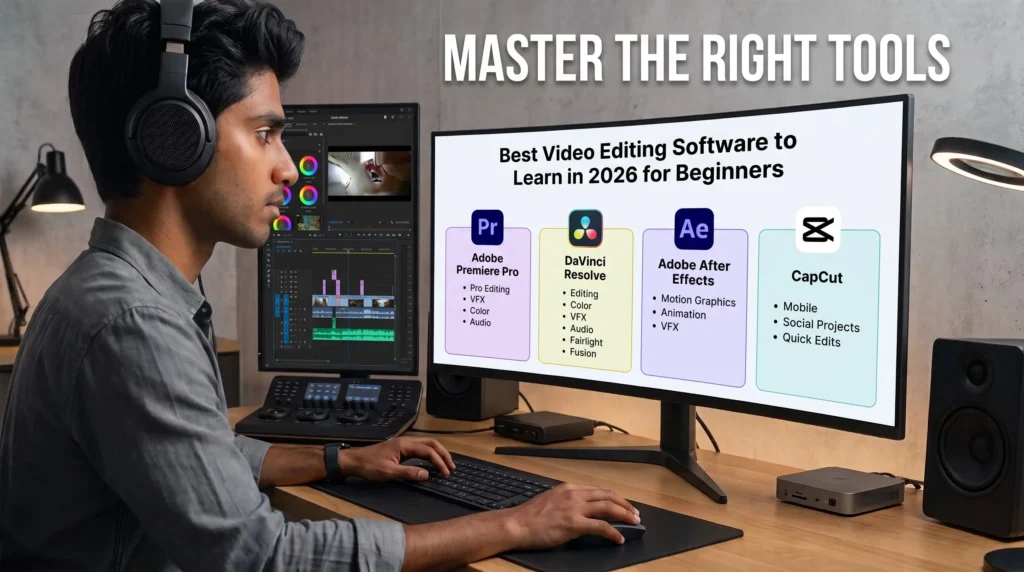
Best Video Editing Software for Beginners in 2026
Start with one suitable editing application and become comfortable with it before moving between multiple tools.
| Software | Best For | Beginner Choice |
|---|---|---|
| DaVinci Resolve | Editing and colour grading | Excellent |
| Adobe Premiere Pro | Professional editing workflows | Excellent |
| Adobe After Effects | Motion graphics and visual effects | Advanced addition |
| CapCut | Short-form and social content | Good for beginners |
Adobe Premiere Pro
Adobe Premiere Pro is a major professional editing application used across video production and content workflows. It is suitable for professional editing, agencies, production companies and creators.
Its learning ecosystem covers editing, sequences, visual effects, colour, audio, keyframes, graphics, titles and animation.
DaVinci Resolve
DaVinci Resolve combines editing, colour correction, visual effects and audio in one application. It is particularly useful for learners interested in colour work. Blackmagic Design also provides official training material covering editing, colour, Fairlight audio and Fusion visual effects.
Adobe After Effects
Adobe After Effects provides tools for motion graphics, animation and visual effects. It can be a useful addition once you are comfortable with basic editing.
CapCut
CapCut can be useful for learning, mobile editing and social media projects. As you progress, learning a professional desktop application such as Premiere Pro or DaVinci Resolve can help you handle more complex editing workflows.
Video Editor Salary in India
Video editor salaries in India can vary based on experience, location, employer, specialisation and portfolio quality. A strong showreel and practical skills can also influence the types of opportunities available.
Typical experience levels:
| Experience | Typical Level |
|---|---|
| 0–1 year | Beginner / Intern |
| 1–2 years | Junior Video Editor |
| 2–5 years | Mid-level Video Editor |
| 5+ years | Senior / Lead |
Indicative salary ranges:
- Beginner/Intern: ₹10k to ₹25k/month
- Junior: ₹20k to ₹35k/month
- Mid-level: ₹30k to ₹60k+/month
- Senior: ₹50k to ₹80k+/month
- Lead roles or highly specialised positions may exceed ₹80k/month.
Freelance earnings vary depending on clients, project type, rates, workload and experience. These figures are indicative rather than guaranteed, and actual compensation can differ considerably by employer, location and specialisation.
Skills That Can Increase Your Earning Potential
Combining editing with another specialised skill can help you take on a wider range of projects.
Examples include:
- Video editing + motion graphics
- Video editing + short-form content
- Video editing + AI tools
- Video editing + colour grading
- Video editing + sound design
- Video editing + YouTube content strategy
- Video editing + advertising
- Video editing + storytelling
The ability to solve multiple creative and technical problems can make an editor more versatile for employers and clients.
Free Courses and Resources to Learn Video Editing
- You don’t need to spend thousands of rupees immediately. Several free video editing courses and resources can help you build a foundation.
- Blackmagic Design provides official DaVinci Resolve training covering editing, colour, visual effects, audio and professional workflows.
- Adobe’s free Premiere learning resources cover editing, audio, graphics, colour and effects.
- YouTube – Free Premiere Pro Courses: There are several long-form Premiere Pro courses available on YouTube covering project setup, editing, graphics, colour, audio, effects, transitions and exporting.
- YouTube – DaVinci Resolve Courses: Free beginner courses can introduce the Media, Edit, Cut, Fusion, Colour, Fairlight and Deliver pages.
- YouTube also provides tutorials, technique breakdowns and project-based lessons. The most effective approach is to practise what you learn instead of only watching tutorials.
- A common beginner mistake is watching many tutorials without building anything. Choose one skill and apply it to an actual project.
Several free courses and resources can also help you build your foundation.
Video Editing Career Options in India
Learning video editing can lead to several career paths beyond a standard video editor role. Depending on your interests and skills, you can explore social media video editing, YouTube editing, motion graphics, post-production, advertising, corporate video production, short-form content editing and freelance video editing. These careers can be started through internships, fresher roles or independent projects.
Video Editor Jobs for Freshers in India
For beginners, video editor jobs for freshers can include video editor, junior video editor, video editing intern, social media video editor, motion graphics intern and post-production assistant roles. When applying, focus on your portfolio and showreel rather than simply listing software names. Demonstrate different editing styles, storytelling, audio, colour grading, motion graphics and short-form content.
You can also keep an eye on our latest video editor jobs and internships for relevant opportunities.
Freelance Video Editing Career in India
If you prefer independent work, freelance video editing can be another career path. Once you have enough projects to demonstrate your skills, you can work with YouTubers, creators, agencies, startups, brands, educators, podcasters and businesses.
Rather than offering every possible service, consider specialising in YouTube videos, Instagram Reels, podcast editing, advertisements, educational content or short-form social media videos.
How to Become a Video Editor Without a Degree or Experience
A specific degree is not essential for many video editing roles. A degree in media, animation, film or communication can provide useful knowledge and networking opportunities, but practical skills, portfolio quality and a strong showreel can also be important when applying for editing work.
How to Become a Video Editor Without Experience?
If you don’t have professional experience, start by creating your own projects. Recreate advertisements, Reels or podcast segments, experiment with different editing styles and collect your strongest work. You can then use these projects when applying for video editing internships, fresher jobs and freelance opportunities.
How Long Does It Take to Learn Video Editing?
The timeline depends on how consistently you practise and how complex your projects are. A realistic progression is:
- 1 month: Learn editing fundamentals
- 2–3 months: Become comfortable with one professional application
- 3–6 months: Build portfolio-level skills in editing, colour, audio and motion graphics
- 6+ months: Develop advanced workflows and a specialisation
If you’re learning video editing from scratch, focus on practical projects instead of watching hundreds of tutorials. Learn, build and repeat—the more real projects you complete, the faster your skills can develop.
Video Editor Career Path in India: What to Do After Learning the Basics
A practical progression after learning the basics can be summarised as:
Editing fundamentals → Premiere Pro or DaVinci Resolve → Storytelling → Audio → Colour → Motion Graphics → Short-form Editing → AI-Assisted Workflows → Portfolio → Internships / Jobs / Freelancing
Don’t try to master every skill on day one. Start with one professional editing application, build real projects and add complementary skills gradually.
Whether your goal is a full-time role, freelance work, content creation or a specialised post-production position, this progression provides a practical foundation for building a video editing career in India.
How to Build a Video Editing Career in India
Building a video editing career in 2026 requires practical skills, consistent practice and a portfolio that demonstrates what you can actually create. As tools and content formats continue to evolve, editors can benefit from learning new workflows while maintaining strong fundamentals.
Your portfolio and showreel provide evidence of your ability. Instead of focusing only on certificates, demonstrate the quality of your editing, storytelling, audio, colour, motion graphics and short-form work.
For the latest job updates in India, freshers can also explore regularly updated hiring opportunities and career resources.
Frequently Asked Questions About Video Editing
How do I become a video editor in India?
You can become a video editor in India without a specific degree. Start by learning editing fundamentals, master one professional editing application, practise with real projects, build a portfolio and showreel, and then apply for internships, jobs or freelance opportunities.
Is AI replacing video editors?
AI is changing the way video editors work, but many editing tasks still require human creative judgement. AI tools can assist with captions, background removal, audio cleanup, transcription and rough edits, while editors continue to make decisions about storytelling, pacing and visual communication. Learning both editing fundamentals and AI-assisted workflows can help editors adapt to changing tools.
Which video editor is 100% free?
DaVinci Resolve offers a powerful free version and is a popular option for beginners who want to learn professional video editing. It includes tools for editing, colour correction, audio and visual effects. Some advanced features are available only in the paid Studio version.
Are video editors in high demand?
Video editors are needed across content creation, digital marketing, advertising, media, education and entertainment. The use of short-form videos, YouTube content and branded video has created opportunities for editors. Competition is also increasing, making practical skills, a strong portfolio and knowledge of modern editing workflows important.
How long does it take to become a video editor?
The timeline depends on how consistently you practise and the type of work you want to create. You can learn the fundamentals in around one month, become comfortable with a professional editing application in two to three months, and develop portfolio-level skills over three to six months. Combining learning with real projects is generally more useful than only watching tutorials.
Can I become a video editor without a degree?
Yes. A specific degree is not essential for many video editing roles. Practical editing skills, a strong portfolio and a good showreel can be important when applying for opportunities. You can start by creating your own projects and then use them when applying for internships, fresher jobs and freelance opportunities.